 JC: This is a fun game for the eBeam interactive whiteboard. It was created using excel. In it's simplest form it teaches coordinates but it can include rotations, translations, reflections, slope, etc...
Here are the basic rules:
1) Write down the coordinates for the selected ships.
2) You have 5 seconds to read the answer from your list.
3) Mark off any HITs from your list
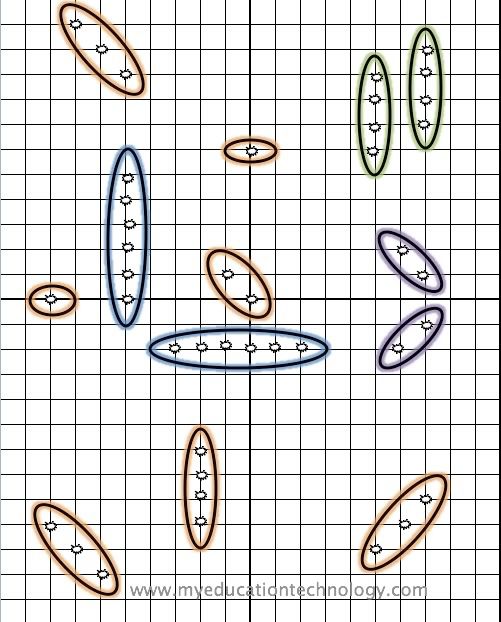


click for bigger image and save to your desktop
Running the game:
1) Call on the students one at a time. I like to go straight down the rows.
2) Give the students a few minutes to write down the coordinates.
3) Once called on, only give them a few seconds to answer. This will ensure that they are keeping up with their list and will waste less time.
4) If you are giving prizes or extra credit, only give it to the students who are
5) Once they have done it a few times, have a student run the game. An alternative (if you have extra time), have students swap out getting to use the stylus when they get a hit.
Green Ships make a translation
Purple Ships make a reflection
Blue Ships make a rotation
For Quick Games:
If you don’t have time to sink all of the ships you could have them just sink:
- Ships from one quadrant
- parallel ships
- translations, rotations, or reflection
- orange ships
Cheers,
Caswell


 Posts
Posts


